
Tool guide
Barry Universe
Open to everyone.
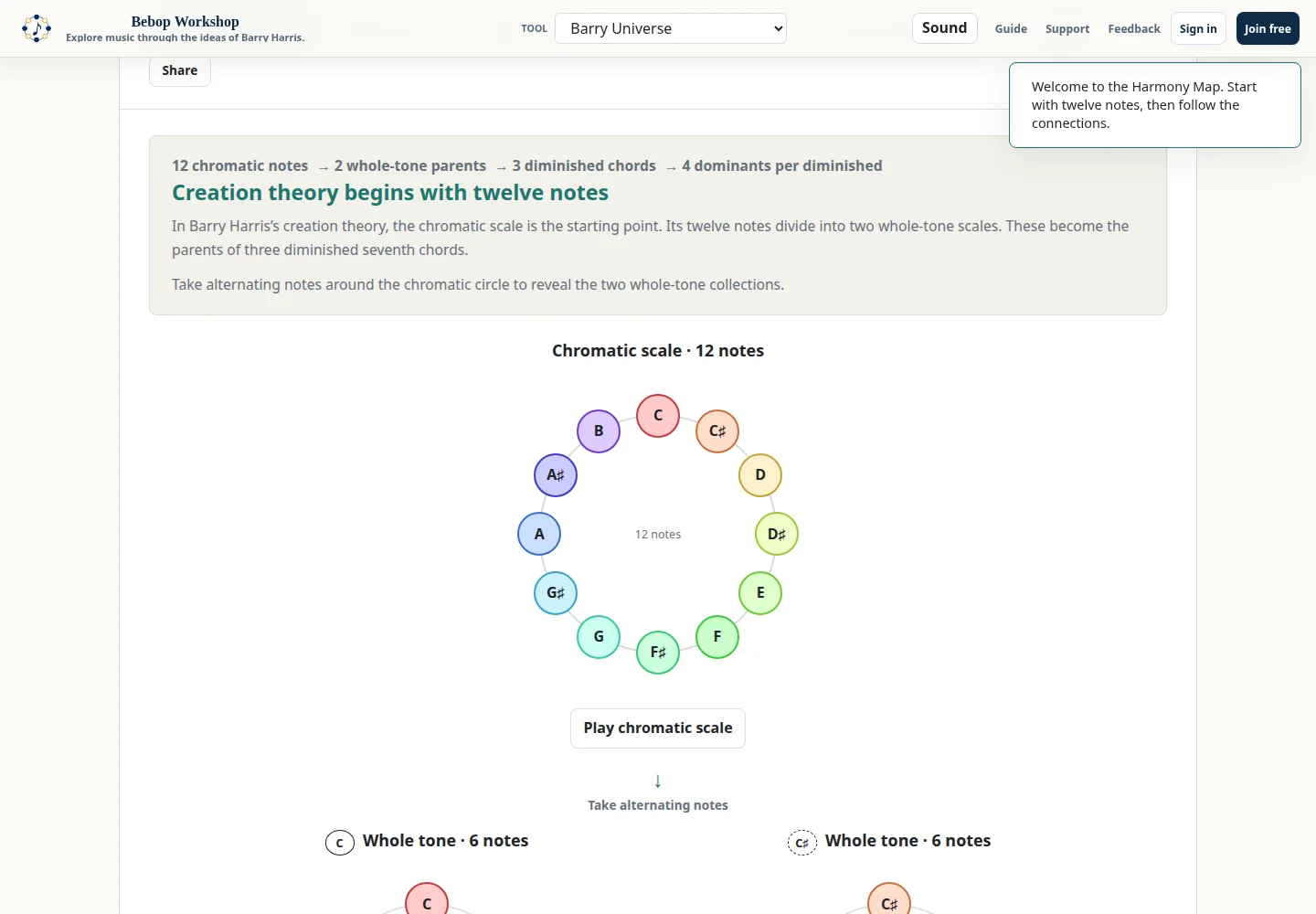
Barry Universe is a visual Harmony Map for following the app's chromatic notes, whole-tone parents, diminished collections, and chord-family connections. Use the navigation views and play controls to inspect each relationship; the interface explains the theory while you operate it.
Use Chromatic Map
Chromatic Map displays the twelve-note chromatic collection and the two six-note whole-tone collections beneath it. Select a note in the chromatic circle to hear the note and follow it into its whole-tone collection. The map's Play chromatic scale and Play [root] scale buttons play the full collections; selecting the next-step button opens Whole Tones.
The map is a relationship view. A note click changes the highlighted route and the current lesson context; it does not open a project editor or change an account setting.
Compare Whole Tones and diminished collections
Whole Tones presents two whole-tone circles. Choose one of the displayed diminished collections to change the highlighted four-note result. Each whole-tone circle highlights the two notes contributed to that diminished seventh; the result panel identifies the source collection for each note.
Play scale, Play pair, and Play diminished let you hear the selected whole-tone collection, its highlighted pair, or the four-note diminished chord. Select Family of Dominants → to carry the chosen diminished collection into the next view.
Explore Family of Dominants
The Family of Dominants view starts with a diminished parent and shows the selected dominant child. Use the diminished selector to choose one of the three displayed diminished collections. Select a child row or its orbit note to change the selected dominant; the relationship label identifies the displayed relationship to the reference dominant.
Play parent, Play the change, Play the selected dominant, and Play all four make the movement audible. The reference-dominant selector changes the reference key context, and Play [dominant] → [tonic]6 plays that dominant-to-tonic comparison.
- Each child lowers one parent note by a half step while the other three parent notes hold.
- The family comparison lists four dominant children from the same diminished parent.
- The expanded connection explanation is available under How does this family connect?
Use Chord Builder
Chord Builder shows the selected diminished sources and four derived chord types: Major 6, Minor 6, Dominant 7, and Dominant 7♭5. Select a diminished source pair when the pair controls are shown, then read each derived card's movement description and notes.
Select a chord card or its play control to hear the result. Show Chord Results expands the overview; Show Movement Grid expands the matrix of pairs, chord types, movement descriptions, and generated chords. Animate plays the displayed transformation step by step.
Compare Chord Paths
Chord Paths presents a selected chord type and the two diminished parent paths that lead to each result. Choose Major 6, Minor 6, Dominant 7, or Dom 7♭5 from the tabs. Each card labels the notes that stay and the notes that move; selecting a parent diagram plays that parent, and Play on the result plays the chord.
Use this view to compare the displayed routes and relationships. It does not write a chord progression or send changes to another tool.
Choose sound and note names
The footer Instrument selector changes the soundfont used by the play controls. The list includes piano, guitar, bass, orchestral, brass, reed, and string instruments. The volume control changes the audio level; the note-name toggle switches the displayed enharmonic preference between sharps and flats.
The audio engine starts when the browser permits Web Audio. If the browser blocks audio until an interaction, select a play control once and then retry. Audio playback is separate from navigation: changing views does not automatically start a lesson sound.
Troubleshoot the map
If a view appears empty after using browser history, select its navigation tab again; the app reinitializes the view from the page address. If note names look different, use the Note names toggle. If sound is missing, interact with a Play control, verify the footer volume, and try a different Instrument.
Barry Universe is a public visual explanation tool. It does not use the Scales of Chords or Harmony Explorer authoring controls, and its setup link does not elevate access. If a shared setup is malformed or unsupported, the link reports that it could not be loaded rather than silently substituting an unrelated example.